Official download route

Download the IN7 latest APK

One file, about 48 MB, and 500+ games on a single wallet. Android installs directly; iOS adds the app to your home screen from Safari.

Version
2.2.0
Size
~48 MB
Android
6.0+
iOS
12+
Price
Free
Region
India
  • Direct install — no store account, no waiting for review
  • ₹10,000 staged welcome package for new accounts
  • UPI, IMPS and net-banking deposits; withdrawals from ₹100
  • Runs on mid-range hardware and ordinary 4G
Download IN7 Game APK Install help on Telegram

18+ only. Gambling involves financial risk and may be addictive — please play responsibly. Restricted in several Indian states; see our terms before installing.

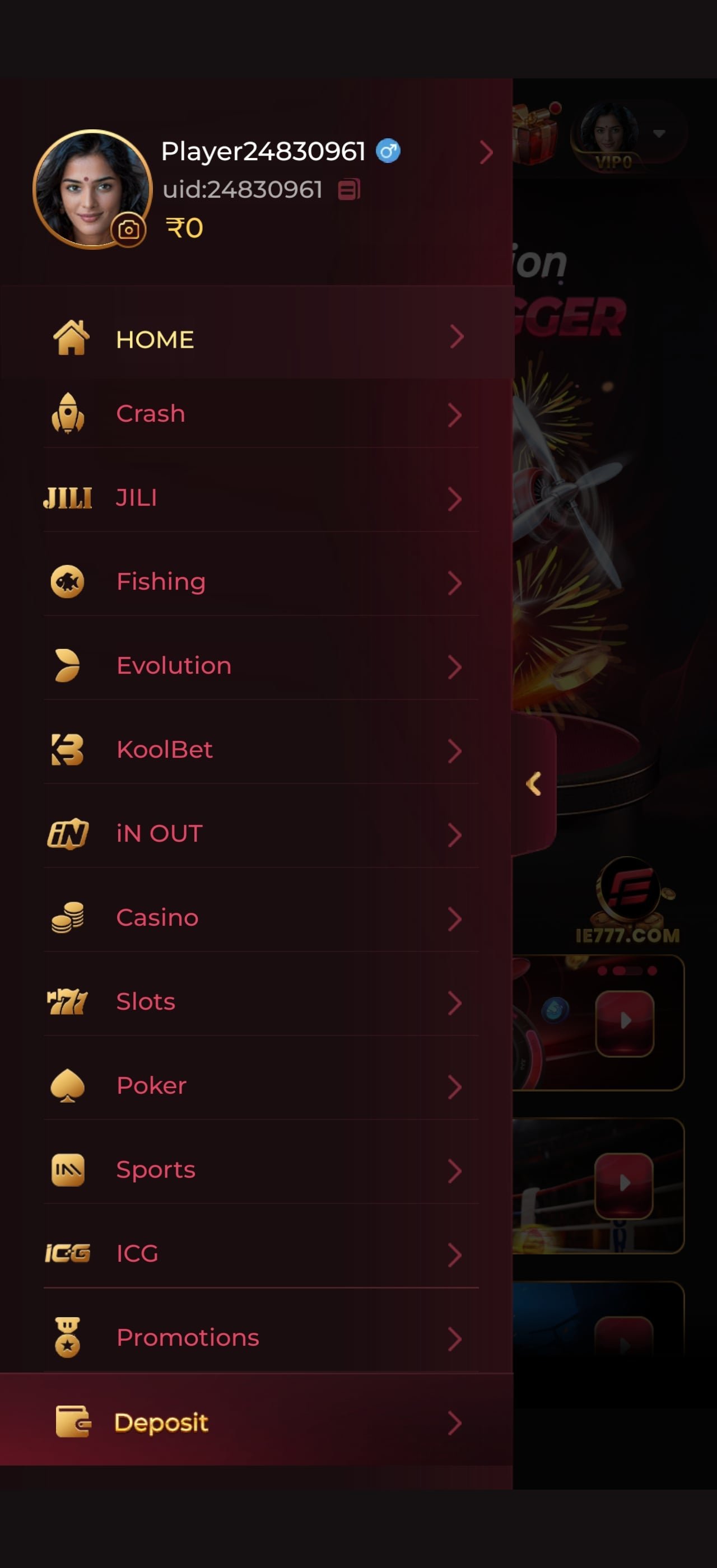
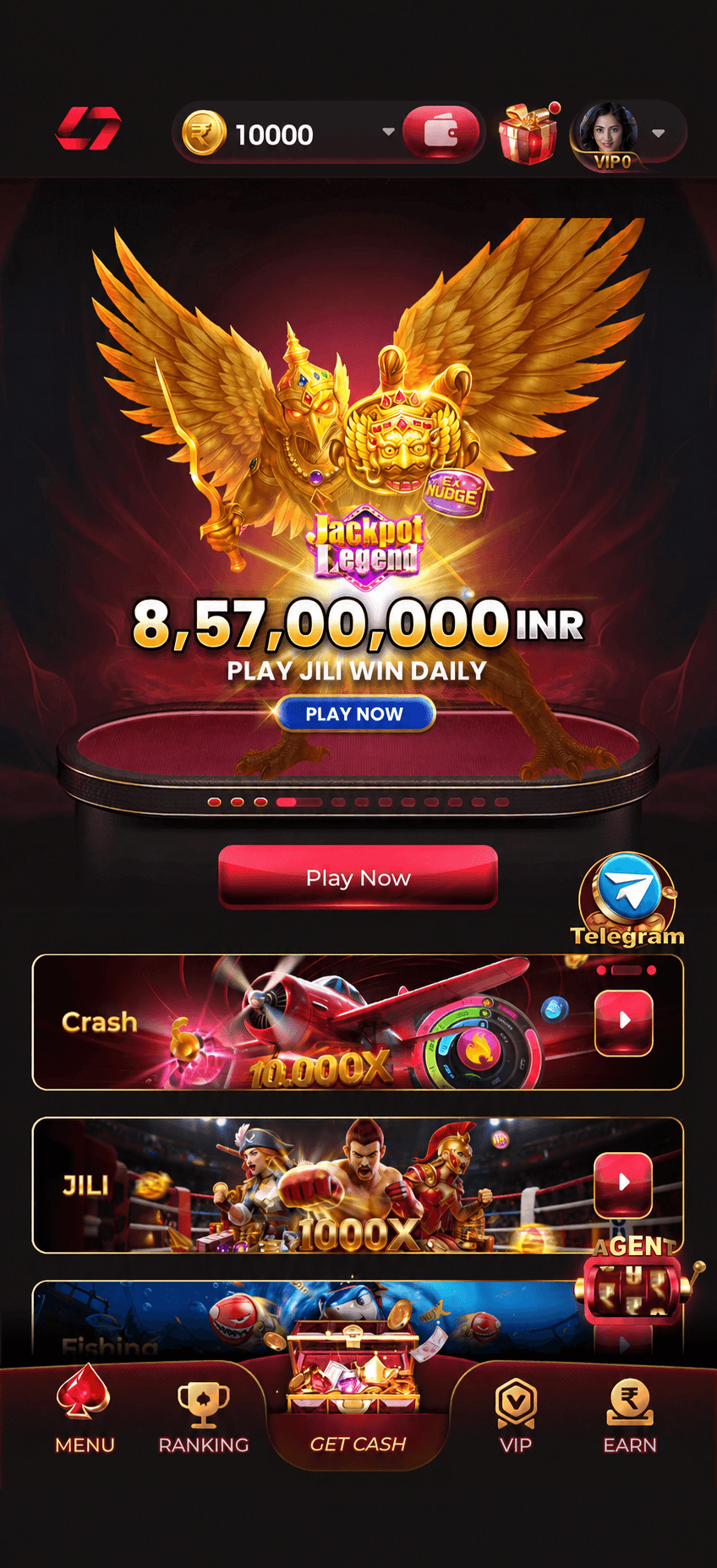
IN7 Game app home lobby after installing the APK, showing the jackpot banner and game shelves

What You Get

500+ games, one login

  • 71 slots · 11 crash titles

    From single-payline classics at 97%+ RTP to cascade engines with 5,000x ceilings.

  • 8 live tables · 8 card games

    Evolution studio streams plus five Teen Patti variants, Andar Bahar and Dragon Tiger.

  • One wallet

    No transferring funds between sections. Deposit once, play anything.

  • Withdrawals from ₹100

    Up to four fee-free withdrawals a day even at entry VIP level, once KYC clears.

See the full library
Version 2.2.0 · latest build 48 MB download Android 6.0+ supported iOS 12+ via home-screen install ₹10,000 welcome package 500+ games included Official link only · never use mirrors 18+ · play responsibly

Android, Step By Step

Installing the IN7 APK in five steps

Written for somebody who has never side-loaded an app before. If you have, steps 1 and 5 are the only ones you need.

Open the official download link

Tap any download button on this page. It goes to the operator’s own hosted file. Do not use an APK someone forwarded to you on WhatsApp or Telegram, and do not use a “mod” or “unlimited” build — those are how tampered apps get onto phones.

If your browser asks whether to keep the file, choose keep. The warning is about the install route, not the file itself.

Allow installs from your browser

Android blocks side-loading until you permit it per app. When prompted, open Settings, find Install unknown apps (sometimes Install from unknown sources), select the browser you downloaded with and switch it on.

On Android 8 and later this is a per-app permission, so you are not opening your whole phone up. You can switch it back off after installing.

Open the downloaded file

Pull down the notification shade and tap the completed download, or open your Files app and find it under Downloads. Tapping it launches the Android installer.

Before you tap install, glance at the permissions it requests. A gaming app has no legitimate need for your SMS inbox, call log or contacts.

Install, then open

Confirm the install and give it a few seconds. The IN7 Game icon appears on your home screen or in your app drawer. Open it and let the lobby finish loading before you tap anything.

If Play Protect asks to scan the app, letting it is harmless and takes a moment.

Register, then claim before depositing

Sign up with your mobile number and confirm the OTP. Then — and this order matters — open the promotions centre and activate the welcome package before your first deposit. Opting in afterwards usually will not backdate the offer.

Use the mobile number and name that match your bank account. A mismatch is the single most common cause of a held first withdrawal.

Two Routes In

Android APK or iOS web app — same games either way

No game in the library is exclusive to one platform. What differs is how the app gets onto your phone.

Android — direct APK

Version 2.2.0 · ~48 MB · Android 6.0+

The full installed experience: faster cold starts, push notifications for promotions and tournaments, and slightly better handling of live dealer video. Updates arrive through the app itself rather than a store queue.

  • Works on 2 GB RAM devices; 3 GB+ is smoother for live tables
  • Needs roughly 200 MB free during install
  • Grant only the permissions the app genuinely needs
  • Keep “install unknown apps” switched off again afterwards
Get the APK

iPhone & iPad — home-screen app

iOS 12+ · no download required

Apple does not use APK files, and store policy restricts real-money gaming apps in many regions, so iOS uses an installable web app instead. It launches full screen, keeps you logged in, and carries the identical library and wallet.

  • Open the official link in Safari (not Chrome — only Safari can install)
  • Tap the Share icon, then Add to Home Screen
  • Name it and confirm; the icon appears with your other apps
  • Launch from that icon for a full-screen, chrome-free experience
Open in Safari
Device requirements and expected performance for the IN7 Game app
RequirementMinimumRecommendedNotes
Android version6.0 Marshmallow10 or newerOlder builds may fail on newer TLS requirements
iOS version1215 or newerSafari required for the home-screen install
RAM2 GB3 GB+Live dealer video is the memory-hungry part
Free storage200 MB500 MBCached game assets grow with use
Connection3G4G / 5G or Wi-FiSlots are light; live streams need stable bandwidth
Data useSlots: tens of MB per hour · Live dealer: 150–400 MB per hour

Read This Before Installing

The only real risk is the wrong file

An APK from the operator’s official link is the standard distribution route for real-money gaming apps in India. An APK from anywhere else is a genuine hazard — and every serious problem we hear about traces back to a file that did not come from the operator.

You cannot tell a tampered build apart by looking at it. The icon is identical, the lobby looks the same, and the login screen accepts your details happily. The difference only shows up later, in your bank account.

  • Never install a forwarded APK. A file shared in a group chat has passed through hands you cannot audit. Download it yourself, from the official link, every time.
  • “Mod”, “hack” and “unlimited money” builds do not exist. Balances live on the operator’s servers, not in the app. Anything advertising unlimited coins is malware wearing a familiar icon.
  • Check the permissions. A gaming app needs storage and network. It does not need your SMS inbox, call log or contact list — and SMS access is exactly how OTP theft works.
  • Match the version and size. If a file claims to be the IN7 latest apk but is 300 MB or reports a version the operator has never published, stop.
  • Never share an OTP. Not with support, not with a “bonus agent”, not with anyone. Genuine support never asks for one.
  • Update from inside the app. When an IN7 new apk build ships, the lobby prompts you. That prompt is trustworthy; a link in a DM is not.

After You Install

Claim the ₹10,000 welcome package in the right order

The sequence matters more than most players realise. Activate the offer before your first deposit, or the largest tranche may not apply at all.

01RegisterMobile number and OTP. Use details that match your bank.
02VerifyComplete KYC now, not on the day you want to withdraw.
03Opt inPromotions centre → activate the welcome package.
04DepositFund by UPI, then check the bonus tracker before playing.
  • The ₹10,000 is a maximum total across several staged releases, not a single credit.
  • Each tranche carries its own wagering requirement and eligible-game list.
  • Slots usually contribute 100% toward wagering; live and low-edge card tables contribute far less.
  • Bonus and cash balances are tracked separately — withdrawing early forfeits locked bonus funds.
  • One welcome package per person, per device and per payment method.
Total welcome value ₹0

Build Notes

IN7 app release history

Indicative version notes for recent builds. The app always offers the current release in-lobby — there is never a reason to hunt for an older APK.

Recent IN7 Game app build history
VersionFocusSizeStatus
2.2.0Current build: lobby performance, faster live-table loading, refreshed rewards centre~48 MBLatest — recommended
2.1.xPayment routing improvements and UPI reliability fixes~47 MBSuperseded
2.0.xVIP ladder rework and withdrawal-limit surfacing~46 MBSuperseded
1.9.x and olderLegacy buildsNot supported — update

Why staying current matters

Because the app is distributed outside the Play Store, payment and security fixes reach you directly rather than after a store review — which is the main advantage of this distribution model. The trade-off is that an out-of-date build simply stays out of date until you update it. If deposits are failing or a live table will not load, the first thing to check is whether you are on the current version.

Troubleshooting

Download and install FAQs

The eight problems that account for nearly every install question on the support channel.

Tap any download button on this page to reach the operator’s official link, allow installs from unknown sources for your browser when Android asks, then open the downloaded file and follow the installer. The whole process usually takes under two minutes.

Android shows that warning for every APK installed outside the Play Store, regardless of the app. It is a generic notice about the install route, not a virus detection. The genuine risk is downloading from a third-party mirror instead of the operator’s own link — that is where tampered builds circulate.

There is no iOS APK — Apple does not use that format. Open the operator’s link in Safari, tap Share, then Add to Home Screen. The web app then launches full screen and behaves like a native app, with the same games and the same wallet.

The install is roughly 48 MB and runs on Android 6.0 or newer. It works comfortably on a 2 GB RAM device; live dealer video streams are smoother with 3 GB or more and a stable Wi-Fi or 4G connection.

The usual causes are insufficient storage, a partially downloaded file, or a previous version still installed. Clear at least 200 MB, delete the incomplete APK and download again, and uninstall any older build first. If it still fails, the Telegram support channel can identify the issue quickly.

The app prompts you inside the lobby when a new build is available, and you can install it from there. Never install an IN7 new apk from a forwarded file or a mirror site, even if someone tells you it is the latest version.

No. Your balance, bonus progress and VIP level live on the operator’s servers, tied to your registered account — not on your handset. Reinstalling and logging back in restores everything.

From the operator’s official link, yes — it is the standard distribution route for real-money gaming apps in India, because store policies restrict them. Three habits keep it safe: use only the official link, check the size and version look right, and review what permissions the installer asks for. A gaming app has no reason to want your SMS inbox or contacts.

Background

Why the IN7 app ships as an APK at all

New players often ask why they cannot simply search for in7 game in the Play Store. The answer has nothing to do with the app’s quality: Google and Apple both restrict real-money gambling applications heavily by region, and in India that means most operators distribute Android builds directly from their own servers instead.

Direct distribution has a genuine upside. Store review adds days to every release, which is painful when the fix is a payment-routing bug affecting deposits today. Shipping directly means a fix can reach players within hours. It also means the operator controls the update prompt, which is why the app tells you when a new build is ready rather than relying on a store queue.

The downside is the one this page has laboured: verification moves to you. Without a store acting as gatekeeper, the only thing separating a genuine in7 latest apk from a tampered one is where you downloaded it. That is why every download button here points at the operator’s own link, and why we would rather lose a click than send somebody to a mirror.

What happens to your account across installs

Nothing on your handset holds anything valuable. Your balance, bonus progress, VIP level, rebate accrual and game history all live on the operator’s servers, keyed to your registered account. Uninstalling the app does not delete an account, and reinstalling on a new phone restores everything the moment you log in. The only thing you genuinely need to keep is access to your registered mobile number, because that is how account recovery works.

Storage, data and battery in practice

The install is around 48 MB, but cached game assets grow with use — budget a few hundred megabytes if you play across many titles. Data consumption splits sharply by category: slots, crash and card games are text-and-sprite light and will run a long session on tens of megabytes, while live dealer video is real streaming and can use 150–400 MB per hour depending on quality. If you are on a metered connection, the live tables are the ones to watch. Battery follows the same pattern for the same reason.

Browse all games · How the ₹10,000 bonus releases · Contact support
₹10,000 Welcome Bonus

One file. 500+ games. Two minutes.

Download the IN7 latest APK from the official link, register with your mobile number and activate the ₹10,000 welcome package before your first deposit.

Telegram Get App